Workstation Sizes India Guideline | Dimensions + Clearances
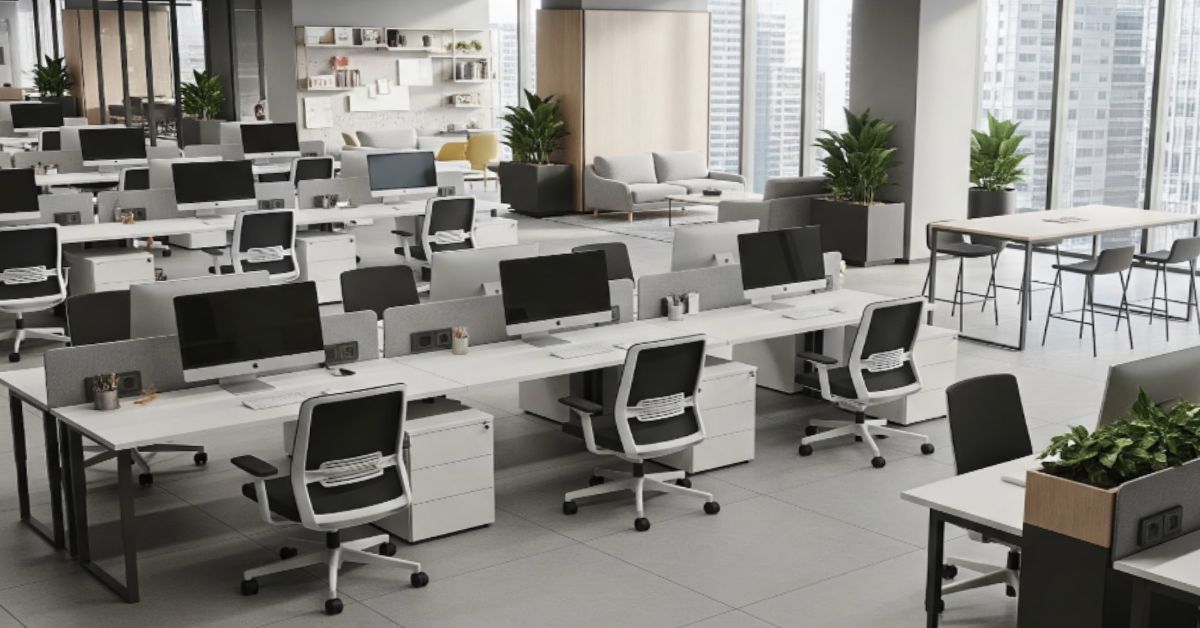
Workstation Sizes India Guideline: Desk Modules, Clearances, and Pairing Rules
You finalized the layout. The vendor confirmed delivery. Install day arrives, and the chairs won't pull back. The aisle between two rows is 700 mm instead of 900. Half the team shares a power tray that runs through the middle of the walkway.
This is not a design problem. It is a sizing and coordination problem, and it happens across corporate offices in India more often than anyone wants to admit. The brief looks clean, the AutoCAD layout looks tight, and then reality shows up.
This guide gives you the exact workstation dimensions, aisle clearances, and pairing rules you need to lock into your BOQ before procurement starts. No guesswork, no last-minute rework, no vendor blame-game.
Quick Answer: Standard Workstation Sizes India
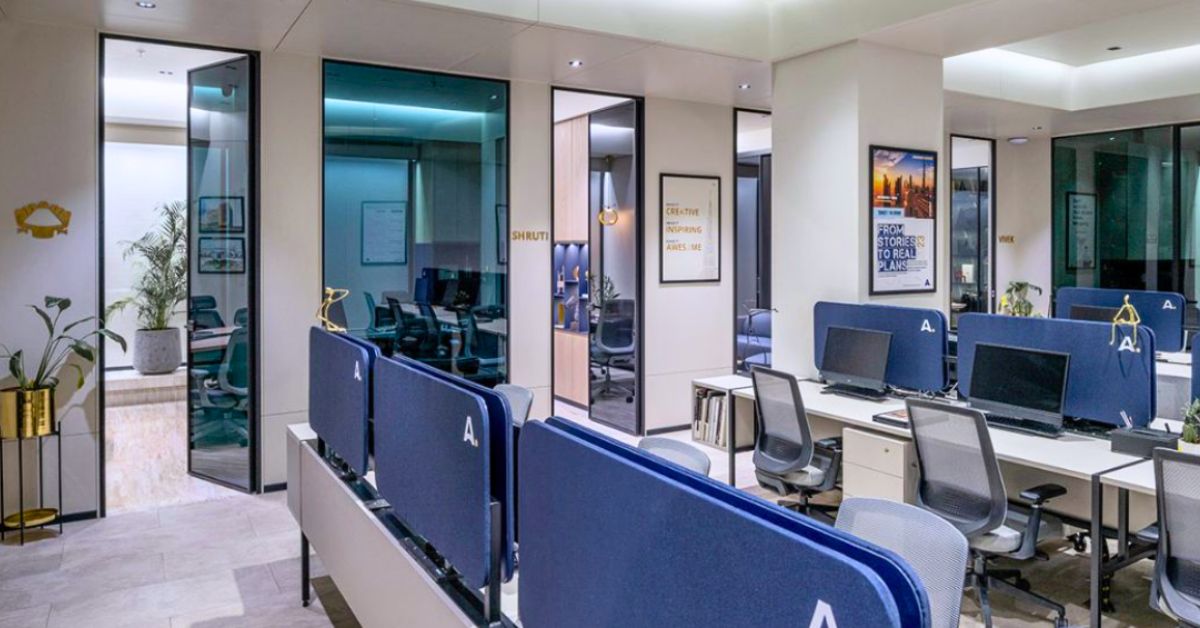
What Is the Standard Workstation Size Per Person in India?
The most common workstation size in Indian corporate offices is 1500 mm wide by 750 mm deep. It works for single monitor setups, gives enough elbow room, and simplifies manufacturing when you need to reorder. For compact floors or laptop-only teams, 1200 x 600 mm is acceptable, but it gets uncomfortable for anyone spending a full workday at the desk.
Workstation Modules: India-ready Size Reference
Most Indian corporate offices run on four standard desk-width modules. Choosing the wrong one early creates a ripple effect across procurement, manufacturing, and installation. Here is how to pick the right office workstation size standard India teams actually use.
Desk Width | Depth 600 mm | Depth 750 mm | Best For |
1200 mm | Basic laptop work, compact floors | Not recommended | Small offices, back-office roles |
1400 mm | Mid-range laptop + single monitor | Laptop + single monitor comfort | General corporate use |
1500 mm | Single monitor, some desktop space | Dual monitor or mixed use | Most common Indian office choice |
1600 mm | Wide dual monitor, senior individual | Premium workstations | Team leads, finance, analysts |
When to Use What
- 1200 mm wide, 600 mm deep: Only for laptop-only setups with minimal desk usage. Tighter rows, more seats per floor plate.
- 1400 mm wide, 600 mm deep: Good baseline for general roles. Comfortable for a laptop and notepad.
- 1500 mm wide, 750 mm deep: The most practical all-rounder for Indian offices. Works for single monitor setups and gives enough elbow room.
- 1600 mm wide, 750 mm deep: Use for dual-monitor roles, team leads, or wherever screen real estate matters.
Pro Tip
Is a 1200 mm Workstation Enough for Office Use?
For laptop-only roles with no external monitor, yes. For anyone using a single fixed monitor, probably not. A 1200 mm surface with a 27-inch monitor leaves roughly 300 to 400 mm of usable desk space. Most people find that restrictive within a few hours. If your team is doing anything beyond light laptop work, start at 1400 mm and move up from there.
Clearances That Prevent Install-Day Surprises
Sizing the desk is half the work. The other half is making sure the space around it actually functions.
Chair Pull-Back Clearance
- Minimum: 900 mm behind the seated position (chair tucked in)
- Comfortable: 1000 to 1100 mm behind the seated position
- This is measured from the back edge of the workstation surface to whatever is behind the chair: a wall, a partition, another row of seats, or a storage unit
Main Aisle vs Internal Aisle: Simple Rule
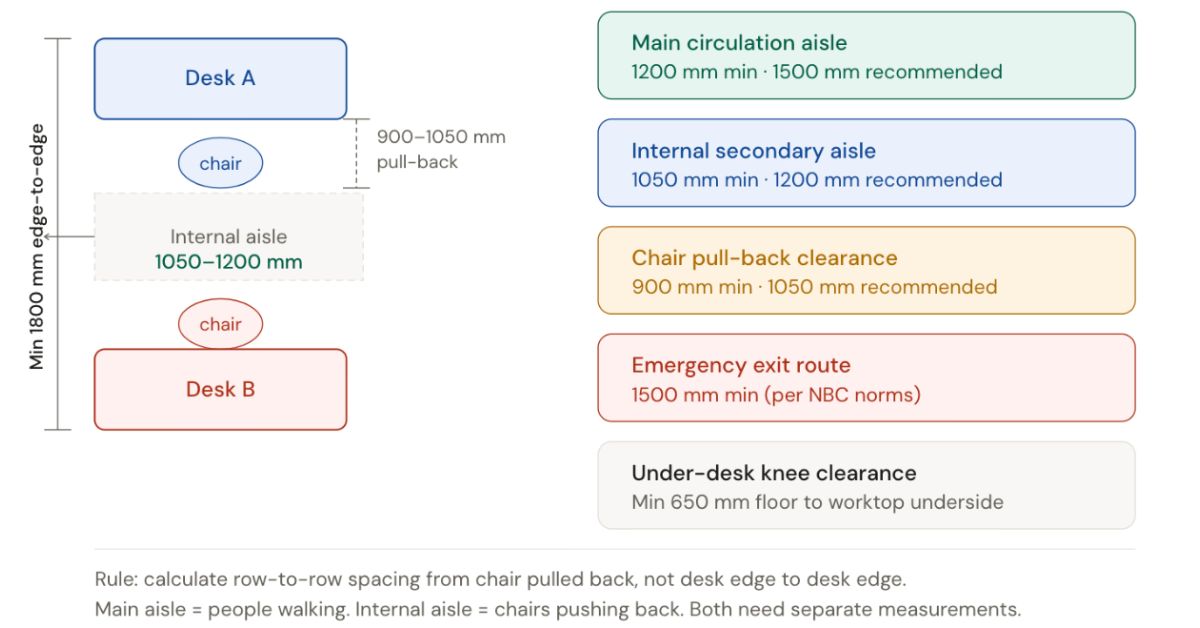
Think of your floor plan in two layers. The main circulation aisle is the corridor people walk through to reach their rows, meeting rooms, or exits. The internal aisle is the gap between two facing rows of workstations where seated colleagues push back their chairs.
Get the internal aisle wrong and chairs collide. Get the main aisle wrong and your layout fails a fire NOC inspection.
Under-desk clearances
- Knee clearance height: Minimum 650 mm from floor to underside of worktop
- Cable tray depth: Usually 100 to 150 mm, factor this into depth calculations if using a hanging tray below the surface
- CPU holder width: If used, add 100 to 150 mm to the under-desk depth requirement
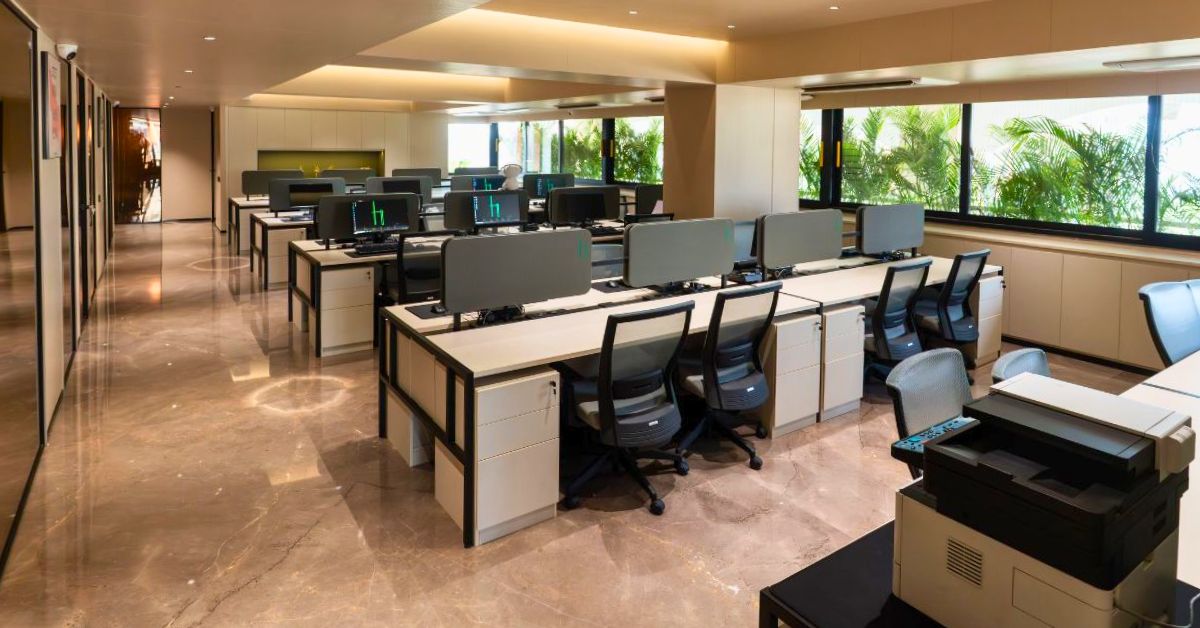
How Much Aisle Clearance Is Required Between Workstations?
Keep a minimum 900 mm between the back of the seat (chair tucked in) and the nearest surface behind it. For back-to-back rows, that means a minimum 1800 mm from worktop edge to worktop edge. The internal secondary aisle for walking should be 1050 to 1200 mm. Main circulation aisles should be 1200 to 1500 mm. Any tighter than these numbers and you will have problems on install day, not just during daily use.
Benching Systems: 2, 4, and 6 Seater Dimensions
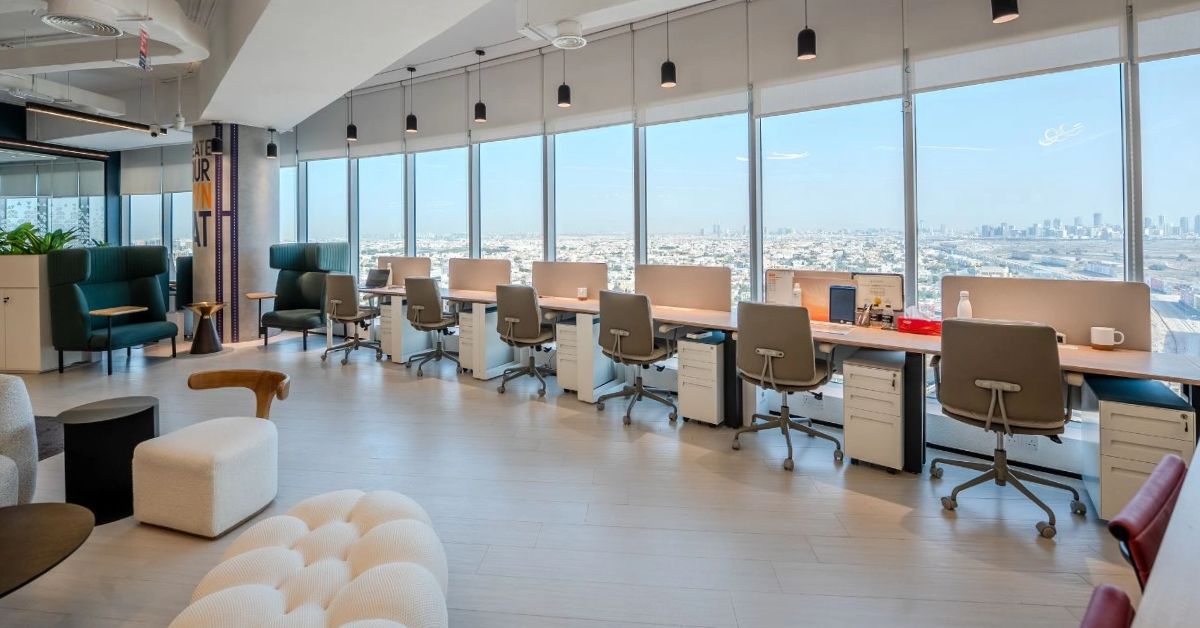
Benching workstations are the dominant format in Indian open offices. Getting the run length right prevents gaps at the end and avoids the classic "one seat doesn't fit" situation when office benching workstation dimensions are calculated from nominal rather than finished specs.
Pro Tip: How to Calculate Benching Run Length
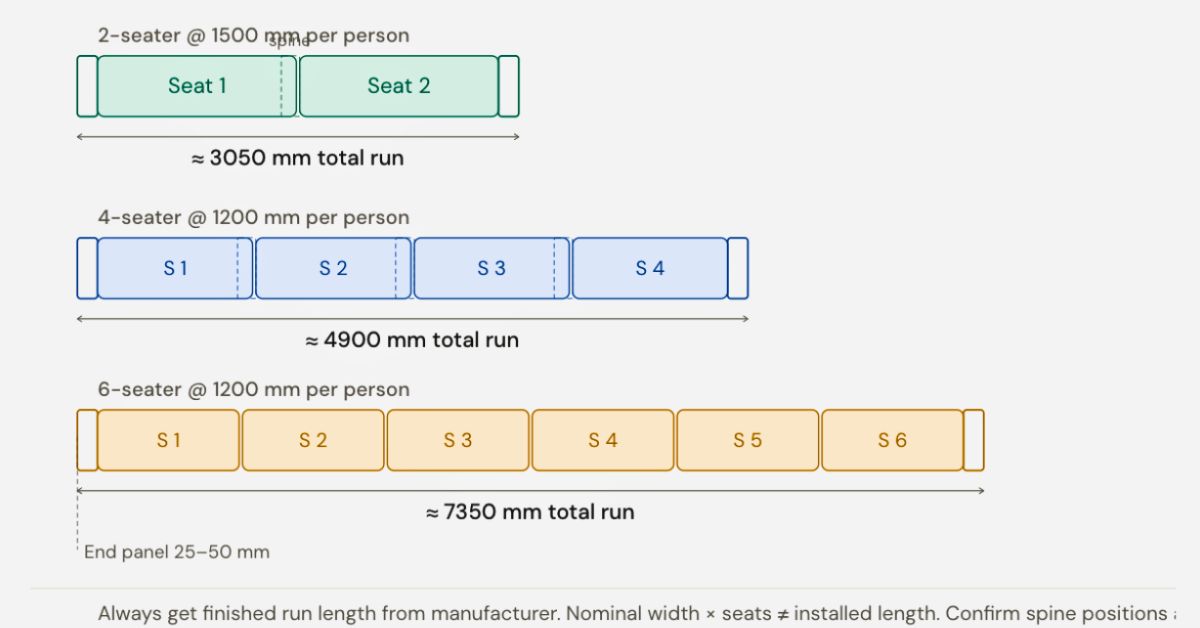
Configuration | Per-Seat Width | Run Length (with panels) |
2-seater | 1500 mm | 3050 to 3100 mm |
4-seater | 1500 mm | 6050 to 6100 mm |
6-seater | 1500 mm | 9100 to 9150 mm |
Spine and Cable Tray Considerations
A benching spine (the structural beam running through the centre of a back-to-back bench) carries cable trays, power modules, and data outlets. Key things to check:
- Spine position must align with your power and data floor box locations
- Confirm the number of power sockets and data ports per seat (usually 2 power + 1 data minimum)
- Cable tray access should not be blocked by partition panels or privacy screens after installation
Where Teams Go Wrong with Benching
- Forgetting end panel dimensions: A 6-seater at 1500 mm per seat is not exactly 9000 mm. It is 9150 to 9200 mm with panels.
- Not confirming wall clearance: The last seat at the end of a run needs sufficient clearance from the wall for chair movement and fire egress.
- Mixing module widths mid-run: Creates uneven depth alignment and cable tray mismatch.
What Workstation Size Works Best for Dual Monitors?
For dual monitors, use a 1500 to 1600 mm wide workstation with 750 mm depth. A monitor arm helps keep usable surface space open even with two screens. Without an arm, 750 mm depth is a must because 600 mm leaves almost no working area in front of the screens. Confirm this in your BOQ before procurement so the right module gets manufactured and delivered.
Choose by Workstyle: What Size Actually Works
Key takeaway: Desk size should follow how someone actually works, not just how many people you want to fit on the floor.
Workstyle | Recommended Width | Recommended Depth | Notes |
Laptop only | 1200 to 1400 mm | 600 mm | Enough for laptop + notebook. No monitor arm needed. |
Single monitor | 1400 to 1500 mm | 600 to 750 mm | With monitor arm, 600 mm depth is sufficient. Fixed monitor needs 750 mm. |
Dual monitor | 1500 to 1600 mm | 750 mm | 600 mm depth is not enough for two fixed monitors. Use 750 mm + monitor arm. |
Call-heavy roles | 1400 mm minimum | 600 mm | Space for headset, notebook, and privacy screen is more important than width. |
Hot-desking / co-working | 1200 mm | 600 mm | Standardize across the floor. Cable management is more critical than depth here. |
At RFQ stage? Don't send it without these specs locked.
Arcedior supports procurement teams and project managers through sourcing, custom manufacturing, quality checks, and installation coordination for workstation supply across India. Share your seat count, city, and target handover date.
How to Choose Workstation Size: A 3-Step Method
If you are doing this for the first time, the table above can feel like a lot. Here is a simpler way to get to the right answer without overthinking it.
Step 1: Identify the workstyle
What does the person at this desk actually use? A laptop, a single monitor, two monitors, or a combination? Do not guess, ask. A call-heavy team has different needs than a finance team running dual screens all day.
Step 2: Choose the desk module
Match the workstyle to the width and depth range from the table above. When in doubt between two sizes, take the larger one. The cost difference between a 1400 and 1500 mm desk is small. The difference in daily usability is not.
Step 3: Lock clearance and aisle rules before RFQ
Once you have the module, calculate run lengths, chair pull-back zones, and aisle widths. Do this before sending the RFQ, not after. If the numbers do not fit the floor plate, adjust the module or the layout, not the clearance rules.
BOQ-Ready Checklist Before You Send That RFQ
This is where most procurement mistakes happen. Sending an RFQ without locking these variables results in quotes that are not comparable, orders that get revised, and site conflicts that delay handover. Sending an RFQ without locking these variables results in quotes that are not comparable, orders that get revised, and site conflicts that delay handover.
What to Freeze Before You Issue the RFQ
- Desk module: width × depth (e.g., 1500 × 750 mm)
- Configuration: single seater, 2-seater bench, 4-seater, 6-seater
- Partition height: low screen (300 mm), medium screen (450 to 600 mm), or none
- Laminate finish and edge profile
- Cable management: open tray, closed tray, or spine-integrated
- Grommet positions and quantity per seat
- Power and data: sockets per seat, RJ45 or USB ports
- Pedestal: yes or no, 2-drawer or 3-drawer, lockable
- Monitor support: fixed versus monitor arm (arm changes depth requirement)
What to Ask For in Vendor Quotes
- Finished dimensions vs nominal dimensions (vendors quote nominally, site requires finished)
- Material specification: board thickness, HDF vs MDF vs plywood, edge banding type
- Load capacity of cable tray and spine
- Standard vs custom lead time
QC Checkpoints Before Dispatch
- Dimensional tolerance: ±2 mm on overall length, ±1 mm on height
- Edge finish: no visible chipout, banding flush with panel face
- Wobble check on all freestanding units before packing
- Cable tray alignment verified against sample approval drawing
- Finish match against approved sample
Delivery and Installation Coordination
- Confirm lift dimensions or staircase access for larger benching runs
- Mark floor-wise drop zones in the site plan
- Sequence delivery: panels and structure before worktops
- Keep 1500 mm clear in main aisles during installation for trolley movement
Common Mistakes and How to Fix Them
Aisle too narrow between rows
Fix: Recalculate from chair pull-back out, not from desk edge to desk edge. Two chairs pulling back simultaneously need at least 1800 mm between desk back-edges if the rows face each other.
Wrong depth for monitor setups
Fix: Anyone using a fixed monitor (no arm) needs 750 mm depth minimum. A 600 mm worktop with a fixed 27-inch monitor leaves barely 300 mm of usable desk surface.
No cable plan in the BOQ
Fix: Define cable management type per seat before procurement. Retrofitting a cable tray after installation is expensive and messy.
No expansion buffer in aisle planning
Fix: If you are fitting 80 seats today with a plan to grow to 100, model the 100-seat layout now.
Aisles are always the first casualty when teams expand.
Mixing workstation modules from multiple vendors
Fix: Standardize on one module per floor, one vendor per project phase. Different manufacturers have different spine heights, tray positions, and panel tolerances. Mixing them creates alignment issues on site.
Conclusion
Getting workstation sizes right is not a complicated task. It becomes complicated when the sizing decisions are made too late, without the installation team, without a cable plan, or without checking how chairs actually move in the space.
The rules here are straightforward: match the module to the workstyle, lock aisle widths before floor planning, and freeze the full BOQ spec before going to RFQ. That is how offices in India get built on time without the on-site surprises.
FAQs
What is the standard workstation size in India?
The most common standard workstation size in Indian offices is 1500 mm wide by 750 mm deep for general corporate use. For compact offices or laptop-only teams, 1200 × 600 mm is used. The right choice depends on workstyle, monitor setup, and floor plate size. Always match the module to how the team actually works, not just how many people you need to fit.
How much space do I need per person for workstations?
Per person, plan for the desk footprint plus chair pull-back plus aisle share. A 1500 × 750 mm desk with 900 mm pull-back and a share of the 1200 mm aisle means roughly 3.5 to 4.5 sq metres per seat in a typical open plan layout. Tighter configurations are possible with benching but should not compromise chair movement.
Is a 1200 mm desk width enough for office work?
A 1200 mm desk width is enough for laptop-only roles with no dedicated monitor. For anyone using a single external monitor, 1400 to 1500 mm is more practical. A 1200 mm surface with a fixed monitor leaves barely 300 to 400 mm of usable desk space, which most people find restrictive after a few hours.
What desk depth is better: 600 mm or 750 mm?
For laptop and single monitor setups with a monitor arm, 600 mm depth is sufficient and keeps the floor plate tighter. For dual monitors or fixed-base monitors, 750 mm depth is the better choice. It also gives more legroom. If you are standardizing one module across a floor, 750 mm tends to work better across mixed workstyle teams.
How much aisle clearance should I keep between workstation rows?
Keep a minimum 900 mm between the back of the seat (chair tucked in) and the nearest surface behind it. For back-to-back rows, this means a minimum 1800 mm from worktop edge to worktop edge. The internal secondary aisle for walking should be 1050 to 1200 mm. Main circulation aisles should be 1200 to 1500 mm.
What workstation size works for a dual monitor setup?
For dual monitors, use a 1500 to 1600 mm wide workstation with a 750 mm depth. A monitor arm helps maintain usable surface space even with two screens. Without an arm, 750 mm depth is a must. Confirm this in your BOQ before procurement so the correct module is manufactured and delivered.
What clearance is needed behind a chair?
A minimum of 900 mm is needed from the back of the worktop edge to the nearest surface behind the chair. In a comfortable open plan layout, 1000 to 1050 mm is the recommended standard. Less than 900 mm causes chairs to collide and restricts ergonomic adjustment, particularly for height-adjustable chairs.
What should be included in a workstation BOQ?
A complete workstation BOQ should include: desk module dimensions, configuration type, laminate and edge finish, partition height and type, cable tray specification, grommet and power socket count per seat, pedestal details, monitor support type, and delivery sequencing requirements. Missing any of these creates quote mismatches, mid-order revisions, or installation delays.
How do I avoid space issues during installation?
Lock your aisle measurements and run lengths before manufacturing begins. Confirm lift and staircase access dimensions for the largest piece. Plan floor-wise drop zones so delivery does not create congestion. Install structure and panels first, then worktops. Keep all finished dimensions from the manufacturer, not nominal dimensions, for site marking.
How do I standardize workstation sizes for future expansion?
Choose one module across the entire floor, even if some teams need more space today. Use monitor arms instead of fixed stands so depth works universally. Document the exact spec (width, depth, board thickness, finish code, cable management type) in a master BOQ that can be reissued for future orders without re-speccing from scratch.
Planning a workstation fit-out in India?
Share your seat count, city, and handover timeline. We will help you finalize workstation sizes, BOQ line items, QC checkpoints, and delivery sequencing so your project runs without delays or rework.