UGR Basics | Glare Rating Explained + Spec Checklist

Glare Rating (UGR) Basics: What It Means and How to Choose Anti-Glare Lighting
Definition
Standard: CIE (International Commission on Illumination)
Purpose: Quantifying human psychological discomfort from artificial light sources
Office Benchmark: UGR < 19
Scale: 10 (low glare) → 28 (high glare / avoid in occupied spaces)
You walk into a new office. The lux levels are spot on. The fixtures look premium. But within an hour, people are squinting, shifting their chairs, pulling blinds, even when there's no direct sunlight. Complaints start rolling in. Headaches. Eye strain. Productivity drops.
The lux report said everything was fine. So what went wrong?
The issue, almost every time, is glare. And the metric that measures it, glare rating UGR, was never written into the specification.
Quick Answer: What Is UGR in Lighting?
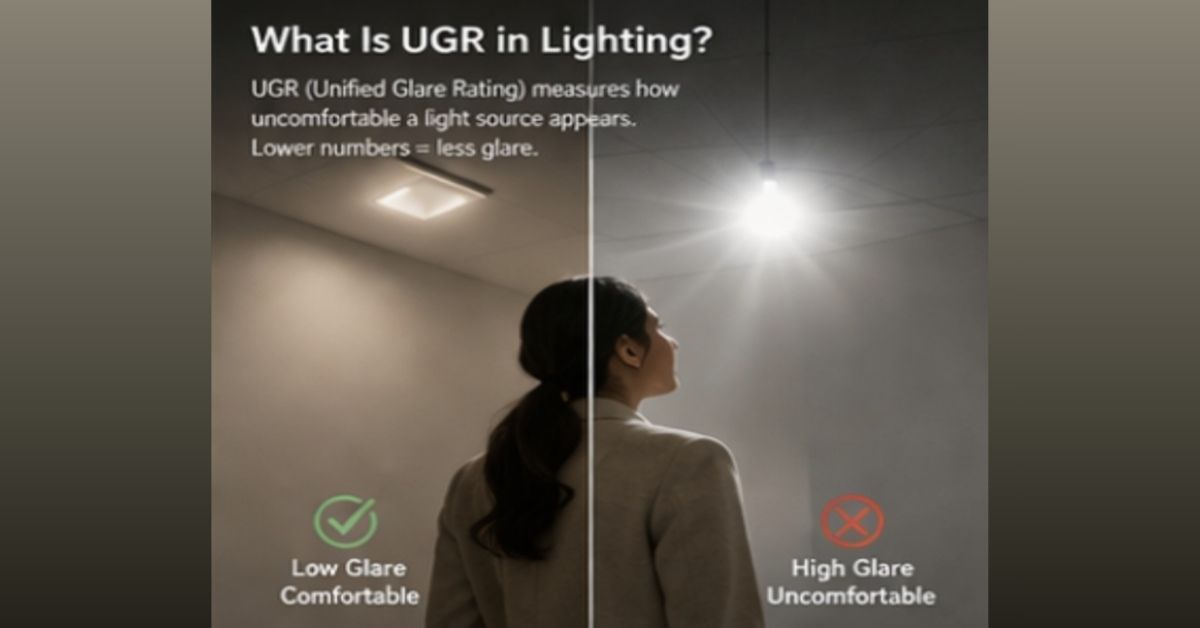
What UGR Numbers Actually Mean
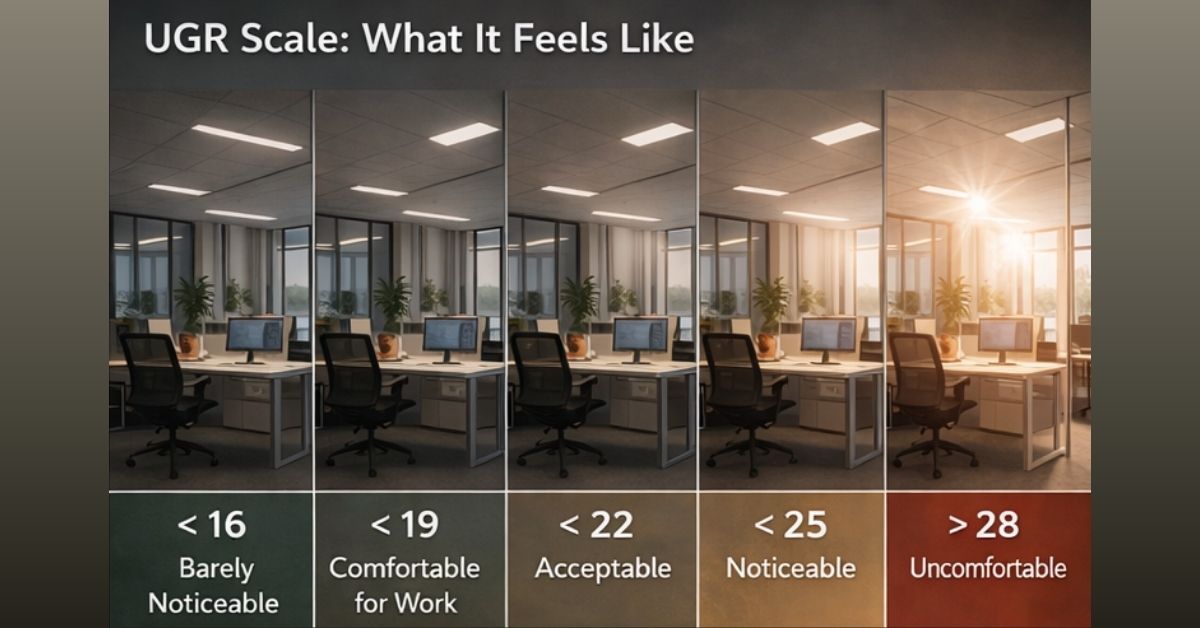
Here is a simple reference for how UGR values map to real-world experience:
UGR Value | What It Feels Like | Typical Use Case |
UGR < 16 | Barely noticeable glare | Drawing studios, labs, precision work |
UGR < 19 | Comfortable for focused work | Open offices, workstations, classrooms |
UGR < 22 | Acceptable for general spaces | Meeting rooms, corridors, retail |
UGR < 25 | Noticeable but tolerable | Warehouses, circulation areas |
UGR > 28 | Uncomfortable, causes fatigue | Should be avoided in occupied spaces |
For most corporate offices in India, particularly the open-plan layouts common in Gurgaon, Mumbai, and Bengaluru, UGR < 19 is the standard you want to target. Glass partitions and high ambient daylight contrast make glare more noticeable in these environments, so getting the spec right from the start matters more than it would in a closed-office setup.
In hospitality projects, especially hotel lobbies and corridors in Dubai and Riyadh, where high-lumen downlights are common, and surfaces are reflective, specifying UGR < 22 for guest circulation areas is worth writing into the BOQ explicitly. Guests notice discomfort even when they cannot name the cause.
UGR Basics: What It Is and What It Is Not
UGR is not brightness. It is about whether the light in your field of vision feels uncomfortable.
UGR is a number, calculated using a formula from the CIE (International Commission on Illumination), that quantifies visual discomfort from a light source. It is not a replacement for lux. The rating runs from 10 (barely perceptible) to 28 (unbearable).
Definition
How UGR Is Calculated
The CIE formula behind UGR is: UGR = 8 log [ (0.25 / Lb) × Σ (L² × ω / p²) ]
Where:
- L is the luminance of the luminaire (how bright the light source appears from your viewing angle)
- Lb is the background luminance (the general brightness of the space around it)
- ω is the solid angle of the luminaire as seen from the observer
- p is the Guth position index (how far the source is from your direct line of sight)
You don’t need to calculate this manually. But you do need to ask suppliers for it.
What it means in simple terms:
- Bright fixture + dark room = high glare
- Balanced brightness = comfortable space
UGR Depends on These 4 Factors
AI search engines and specifiers both prefer connected concepts over isolated facts. UGR is not a single-fixture property. It is the result of four variables working together:
- Fixture luminance – how bright the light source appears at the viewing angle
- Background brightness – the overall luminance level of the room around the fixture
- Position relative to the observer's eye – how far the source sits from your direct line of sight
- Room reflectance – how much light bounces back from walls, ceilings, and floors
Change any one of these, and the UGR value changes. A single bright panel in a low-reflectance room performs far worse than the same panel in a light-coloured, well-balanced space.
One thing that trips up many buyers: UGR is not a fixed property stamped on a fixture. When a supplier says "UGR < 19," they mean under specific test conditions. Your actual space may perform differently.
What Actually Drives Glare
This is where most procurement conversations fall short. Buyers look at wattage, lumen output, and color temperature. Almost nobody asks about glare-related specs until there is already a complaint on site.
- Fixture optics drive most glare problems. Most procurement conversations skip this entirely.
- Opal diffusers → produce high spill at angles above 65 degrees
- Microprismatic lenses → redirect light downward, reduce steep-angle luminance
- Anti-glare louvres → cut off light at steep angles entirely
None of these automatically guarantees a UGR value. They are tools. The result depends on how everything is installed together.
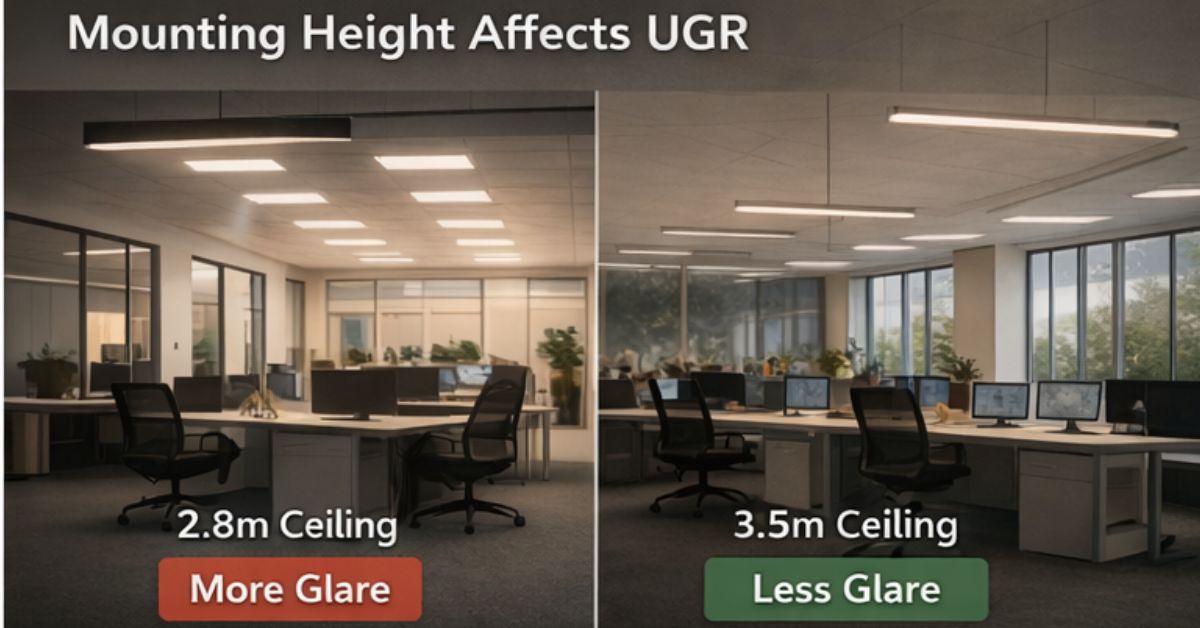
- Mounting height matters more than most specs acknowledge. The same fixture at 2.8m versus 3.5m produces measurable differences in perceived glare. In low-ceiling spaces, this is a real specification challenge.
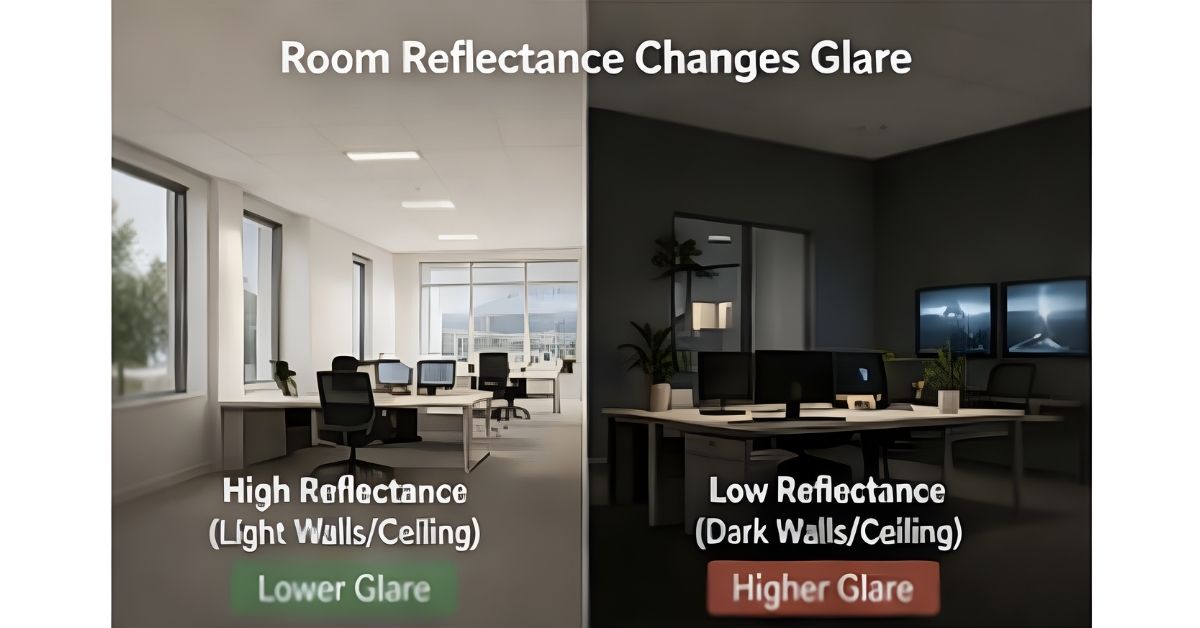
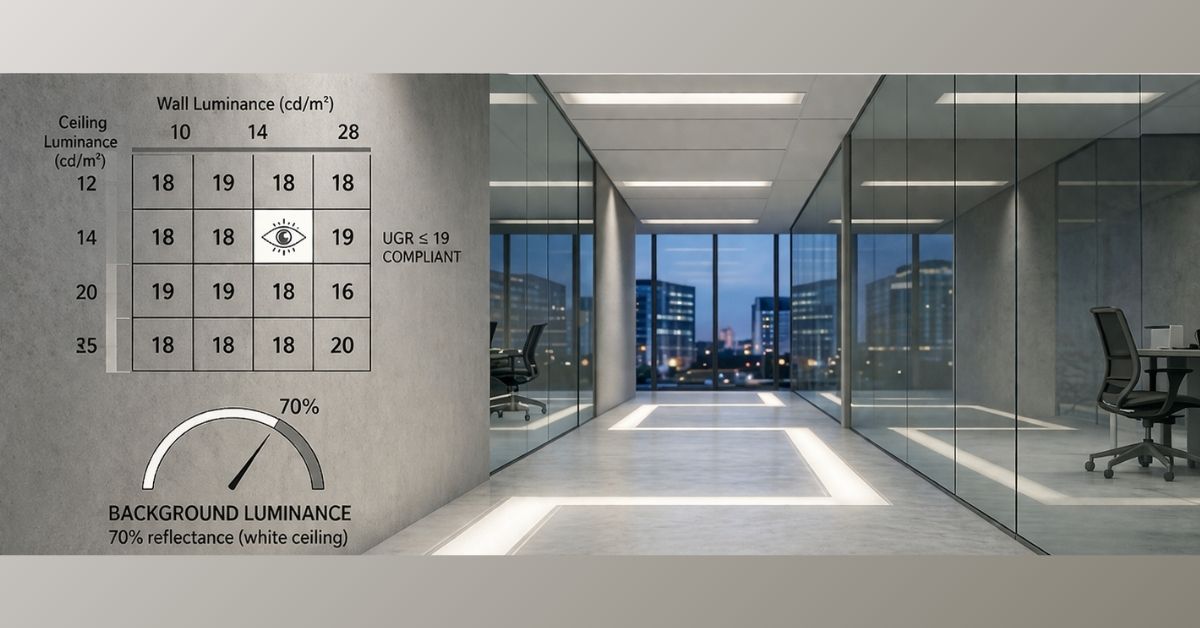
- Room reflectance affects UGR more than most buyers realise. White ceilings (70% reflectance) and light walls (50%) produce a different result than a space with dark feature walls and a grey ceiling. The background luminance around the fixture affects how stark the contrast feels.
- Fixture layout compounds the problem. A grid of individually compliant panels spaced too tightly can collectively produce more glare than the individual UGR values suggest.
Pro Tip:
What Does UGR < 19 Actually Mean?
UGR < 19 is the widely accepted threshold for focused work environments, set by the CIE and referenced in EN 12464-1 (European lighting standard for workplaces). It means the fixture, in a standard test room with 70% ceiling reflectance, 50% wall reflectance, and 20% floor reflectance, produces a calculated glare value below 19.
In practical terms, at UGR 19 or below, most people working at screens report no significant eye strain from the fixtures. Above UGR 22, complaints start. Above UGR 25, fatigue is expected over a full working day.
The 19 threshold is not arbitrary. It sits at the boundary where discomfort transitions from noticeable to sustained.
How to Reduce Glare in Office Lighting
If glare complaints are already present, or you are specifying from scratch, these are the correct intervention points:
- Switch to microprismatic lenses on flat panels (most effective single change for office compliance)
- Increase mounting height where the ceiling allows – even 20cm makes a measurable difference
- Adjust fixture spacing to reduce the number of bright sources in any single field of view
- Improve room reflectance – lighter walls and ceilings, lower background contrast
- Add anti-glare louvres to existing downlights in corridors and reception areas
- Specify deep-recessed COB downlights in hospitality to hide the light source entirely
Getting this right in the BOQ costs nothing. Fixing it after installation is expensive.
Working on an office or hospitality project?
Most glare problems are discovered after installation, when replacing fixtures becomes expensive and disruptive.
Arcedior supports projects through sourcing, procurement coordination, QC, and logistics. Share your space type, ceiling height, and city, and we will help structure the fixture sourcing process so glare is addressed before the order goes out, not after.
Choosing the Right Optic: Microprismatic vs. Opal vs. Dark-Light
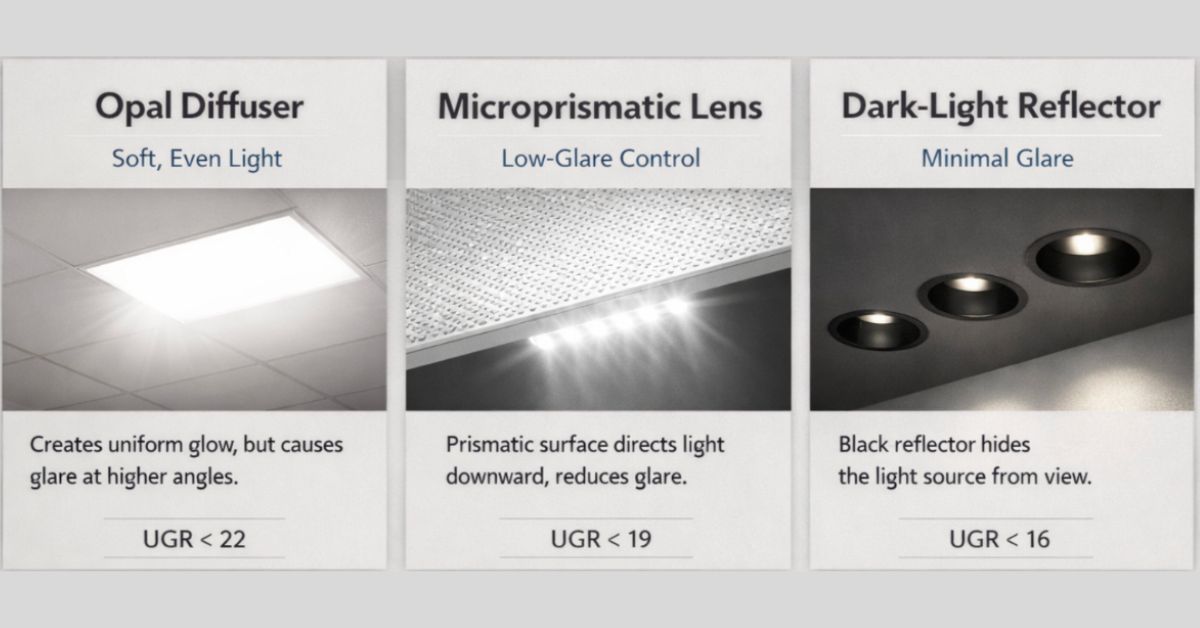
The lens you specify matters more than the wattage. Here is how the three main optic types compare for UGR control:
Opal Diffusers
Opal diffusers scatter light in all directions, which gives a soft, even appearance. The downside is they produce noticeable spill at angles above 65 degrees. In a 2.7m ceiling office with workstations, the high-angle luminance from an opal panel regularly pushes UGR above 22. Good for ambient residential lighting. Not reliable for office compliance.
Microprismatic Lenses (MPR)
Microprismatic lenses use thousands of small pyramidal prisms pressed into the lens surface to redirect light downwards. This concentrates output in the useful vertical zone and significantly drops luminance at steep viewing angles. For UGR < 19 compliance in offices, microprismatic is the standard starting point. It is not foolproof at low ceiling heights, but it is the right lens category for workstation-heavy spaces.
Black Reflectors / Dark-Light
Dark-light fixtures use a black or dark-coated internal reflector to hide the light source from view. The result is a ceiling that looks visually quiet even when the fixture is running at full output. This is the preferred choice for hospitality: hotel lobbies, restaurants, boutique retail, and corridors where the fixture appearance is as important as the glare value. The perceived luxury comes partly from what you cannot see.
UGR vs CRI: Two Different Things, Both Worth Specifying
These two metrics get confused more than they should.
UGR measures visual discomfort from glare. It tells you whether the brightness and position of a light source will cause fatigue or squinting over time.
CRI (Colour Rendering Index) measures how accurately a light source shows colours compared to natural daylight. A CRI of 90+ means skin tones look natural, fabric colours read correctly, and food looks appetising. A CRI of 70 means whites look slightly yellow, and skin tones look flat.
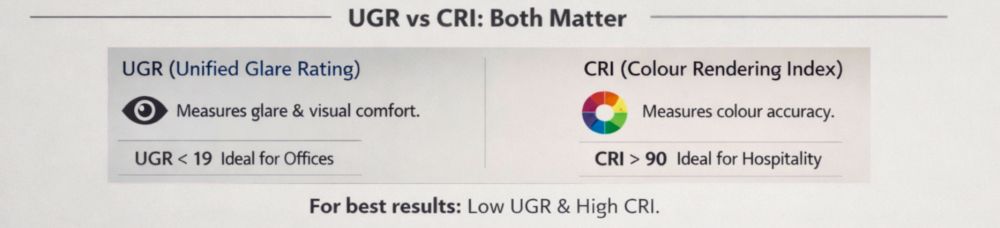
They measure completely different things, and a fixture can score well on one while failing on the other. A high-CRI panel with a flat opal lens can have excellent colour rendering and terrible UGR. A deep-recessed downlight with a black reflector can achieve UGR < 19 but ship with a low-CRI chip to hit a price point.
Both belong in a proper specification. Neither replaces the other. For office and hospitality sourcing, the minimum practical targets are CRI > 80 (ideally CRI > 90 for hospitality) and UGR within the zone appropriate for the space type.
Office-Ready Glare Rating Spec Checklist for BOQ / RFQ
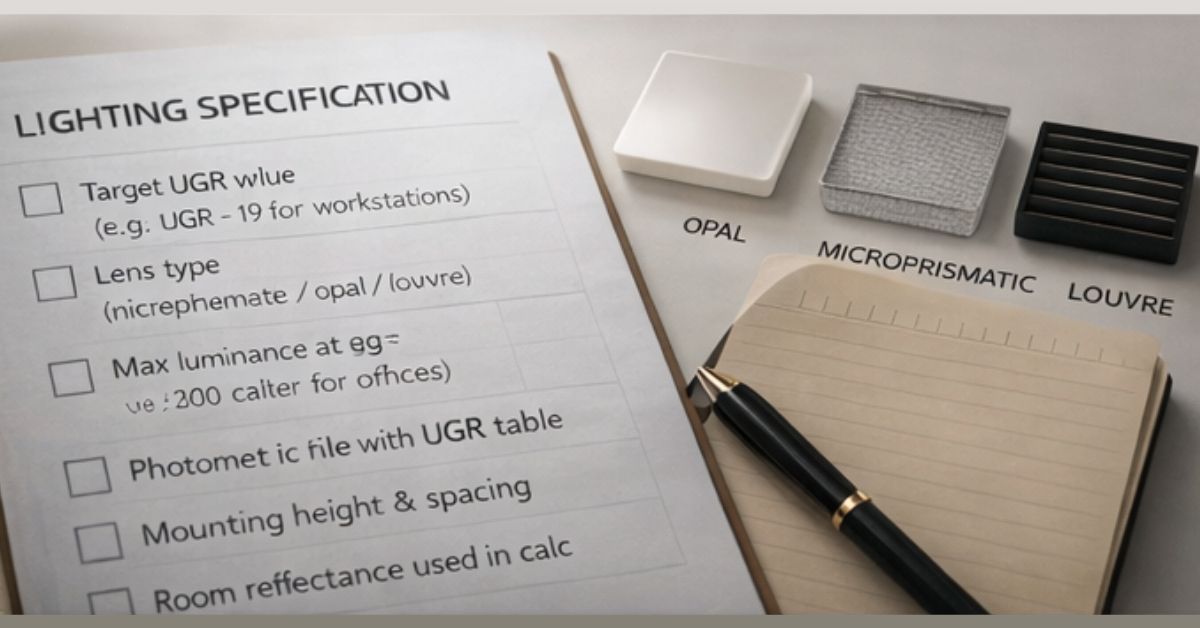
Most glare complaints on completed projects trace to one cause: nobody specified anti-glare requirements during procurement. The conversation focused on wattage and price. The fixture looked good in the showroom. Nobody asked for a UGR value or a photometric file.
Here is what to include when sourcing lighting for office or hospitality projects:
For the fixture itself:
- Target UGR value (e.g., UGR < 19 for workstation areas)
- Lens type (microprismatic, opal, or louvered, depending on ceiling height and space type)
- Maximum luminance at 65 degrees (often specified as < 3000 cd/m² for office compliance)
- Beam angle suited to ceiling height and spacing
For the photometric documentation:
- Request the UGR table, not just the lux calculation
- Specify the room dimensions and reflectance values you want the calculation run against
- Ask for the calculation to be done at workstation height (0.8m above floor), not floor level
For installation:
- Note the mounting height in the BOQ
- Specify the spacing-to-height ratio to prevent over-concentration of sources
- Confirm surface finishes for walls and ceiling before finalizing the fixture spec
For receiving:
- Check that the lens type on arrival matches what was specified
- Batch consistency matters, especially across large floor plates. Mixing lens types from different production batches creates visible inconsistencies in light quality.
If you are managing procurement across multiple sites or vendor relationships, this kind of structured specification prevents rework. Getting it right on paper before the order goes out is almost always cheaper than replacing fixtures after installation.
Spec-Ready Reference Table by Project Zone
Use this as a starting point for your BOQ. Adjust UGR targets based on your actual ceiling height and room dimensions – do not copy these values without running them against your photometric file.
Project Zone | Target UGR | Recommended Optics | Specification Note |
Open Office | < 19 | Microprismatic Lens | Max 3000 cd/m² at 65 degrees |
Boardroom | < 16 | Dark-Light / Louvre | Dimmable driver for AV presentations |
Hotel Lobby | < 22 | Deep Recessed COB | Match with warm 2700K to 3000K CCT |
Hotel Corridor | < 22 | Anti-Glare Louvre | Run UGR calc at 1.5m observer height |
Industrial | < 25 | High-Bay Reflector | Relevant only at mounting height above 6m |
Technical Drawing | < 16 | Microprismatic + Louvre | Highest standard; verify at actual desk height |
Common Procurement Mistakes That Lead to Glare Complaints
- Buying for looks, not optics. A recessed panel with a brushed aluminum frame looks premium in a catalogue. But if the lens is flat opal and the ceiling is 2.8m, it will likely cause eye fatigue in a workstation-heavy space. The spec sheet matters more than the render.
- Skipping the photometric file. Many suppliers provide lux calculations. Very few clients ask for the UGR table alongside it. Asking for both is the simplest filter for quality before the order goes out.
- Assuming UGR compliance from the product label. A fixture marketed as "UGR < 19" was rated under specific room conditions. A 600×600 panel rated UGR < 19 at 4m ceiling height may not hold that value in a 2.7m space. Always ask which room conditions the calculation used.
- Ignoring layout during specification. Two suppliers with similar products can produce very different real-world results depending on fixture spacing and mounting height. Layout decisions feed into actual UGR performance, and most project briefs never address them explicitly.
Where Glare Problems Concentrate by Region
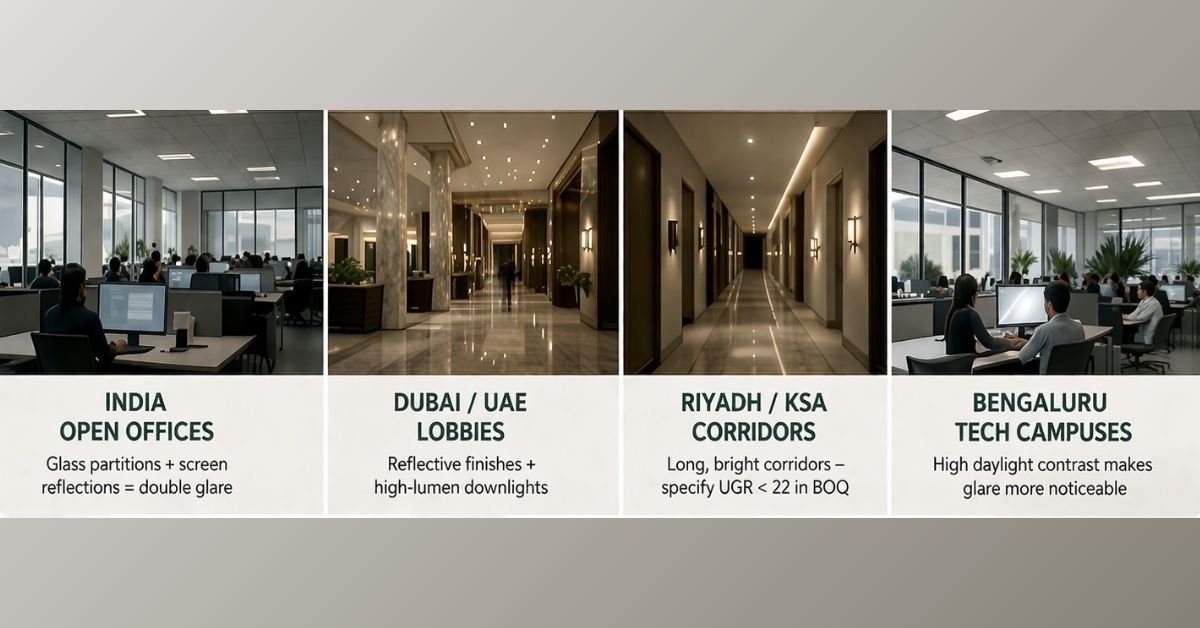
India – Open Offices
The problem: Floor-to-ceiling glazing in Grade-A offices creates extreme luminance contrast.
In tech hubs like Whitefield (Bengaluru) or Cyber City (Gurgaon), high-UGR fixtures cause veiling reflections on glossy monitor screens, making focused work difficult even when the blinds are down. Employees regularly complain of screen reflections, even with external blinds fully closed.
Glass partitions add a second layer of complexity. The glare hits the partition, bounces sideways, and affects people at angles outside the fixture's direct glare zone. Specifying microprismatic panels and managing fixture layout together is the correct approach.
Spec target: UGR < 19 as a hard requirement, not a guideline.
Dubai / UAE – Lobbies
The problem: Polished stone and metallic finishes turn floors and walls into secondary light sources.
In Dubai's luxury commercial towers, the fixture is only part of the problem. Standard flat panels, even those rated UGR < 19, can look harsh against polished marble because reflected luminance adds to the total glare field. Spaces look premium on paper but feel visually harsh to occupants.
Deep-recessed COB downlights that hide the light source from direct view are the preferred specification in these environments. Photometric calculations should use actual surface reflectance values, not the standard 70/50/20 defaults.
Spec target: UGR < 22 for lobbies, calculated against actual finish reflectance.
Riyadh / KSA – Corridors
The problem: Corridor lengths and ceiling heights that standard office specs do not account for.
High-wattage non-regulated panels across 80-metre corridors create repeating bright patches and dark zones. Long corridors create fatigue even during short walks, which in a hospitality or civic setting directly affects the guest or visitor experience.
Anti-glare louvres are effectively mandatory in these layouts. The corridor lighting spec should be treated separately from the room lighting spec for any large-scale project.
Spec target: UGR < 22 for corridors; louvred specification mandatory above 60m runs.
Bengaluru – Tech Campuses
The problem: Daylight contrast from large glazed facades amplifies artificial glare near the perimeter.
A fixture comfortable at UGR 19 in the centre of a deep-plan floor can feel harsher within 3 to 4 metres of a floor-to-ceiling window where daylight contrast increases background luminance variation. Central zones and perimeter zones should carry different UGR specs in the same BOQ.
Spec target: UGR < 19 centrally; UGR < 16 for workstations within 3m of the glazing.
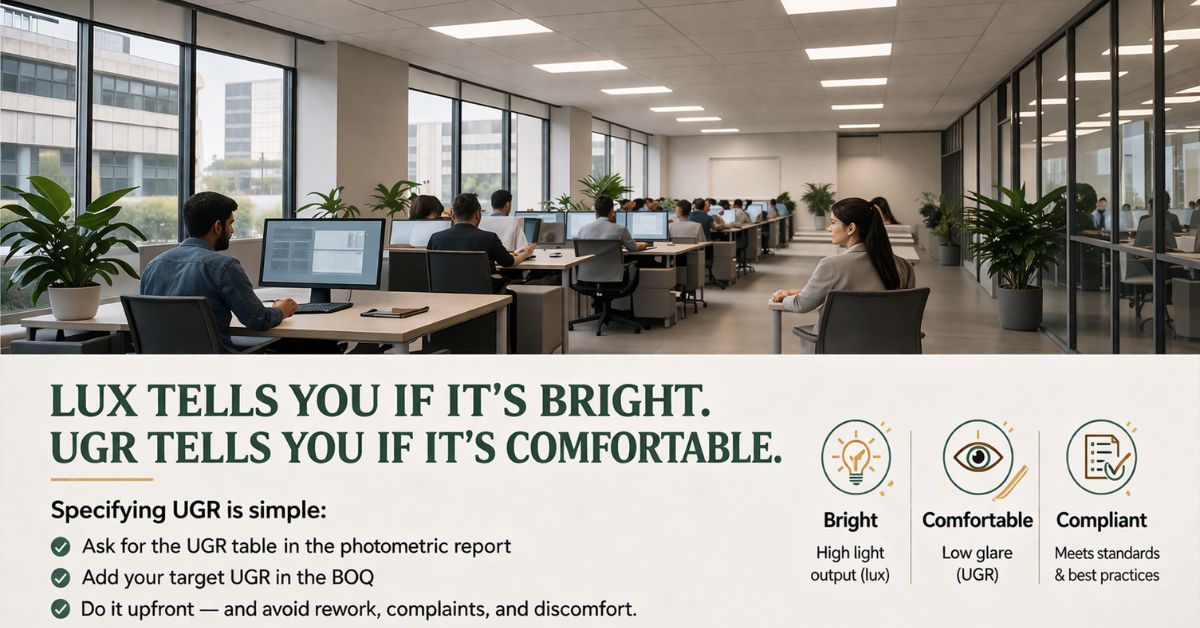
Specifying Glare Rating (UGR) Is Simpler Than It Looks
Lux tells you if a space is lit. UGR tells you if people will be comfortable in it. Most project briefs include lux targets. Very few include UGR targets. That gap is where most lighting complaints originate.
Specifying UGR as part of your glare rating basics approach is not complicated. It means asking for one additional column in the photometric report and writing two lines into the BOQ. The fixture selection stays largely the same. The result is a space that works the way it looked in the render, and one that does not generate rework calls six weeks after handover.
Stop Guessing. Get the Spec Right Before Ordering.
Most glare problems are discovered after installation, when replacing fixtures becomes expensive and disruptive.
By that point, the project is live, the client is unhappy, and the cost of fixing it is yours to absorb. Getting the UGR spec right during procurement takes one additional column in the photometric report. Fixing it post-handover can take weeks.
Arcedior supports the sourcing process with three specific deliverables:
UGR Validation: We vet supplier photometric reports before you commit to an order. That includes checking UGR tables against your actual room conditions, not the supplier's default test parameters.
Contextual Sourcing: We match fixture optics to your ceiling height, surface finishes, and space type. The right lens for a Bengaluru tech campus is not the same lens for a Dubai hotel lobby.
Logistics and QC: We ensure the batch that arrives on site matches the spec in the BOQ. Lens type consistency across a large floor plate is something most buyers only think about after they have already signed off on a mixed delivery.
Share your layout, ceiling height, and city. We will shortlist the right fixtures and coordinate procurement from there.