Open Office Layout Standards & Clearances 2025
Open Office Layout Standards: Distances & Clearances (2025 Guide)
Designing an open office isn’t just about fitting in as many desks as possible. How much distance should you leave between desks? How wide should the main aisle be? Can two people in chairs move comfortably without bumping into each other?
Open office layout standards help answer exactly that. They’re not just about measurements; they’re about how people feel, move, and interact in a shared workspace. A well-planned layout improves focus, avoids crowding, supports accessibility, and even boosts team energy.
While there’s no single “law” for open office spacing, several international standards and guidelines help us design smarter: ADA (Americans with Disabilities Act) for accessibility, BIFMA for ergonomics, IBC (International Building Code) for corridors and egress, and OSHA for workplace safety.
In this 2025 guide, we’ll break down all the essential clearances, distances, and planning tips for open office layout design, from desk spacing to aisle widths, ADA accessibility basics, and recommended space per employee. Just remember: always check your local building codes before finalizing layouts.
Download a practical checklist you can use for your next office fit-out.
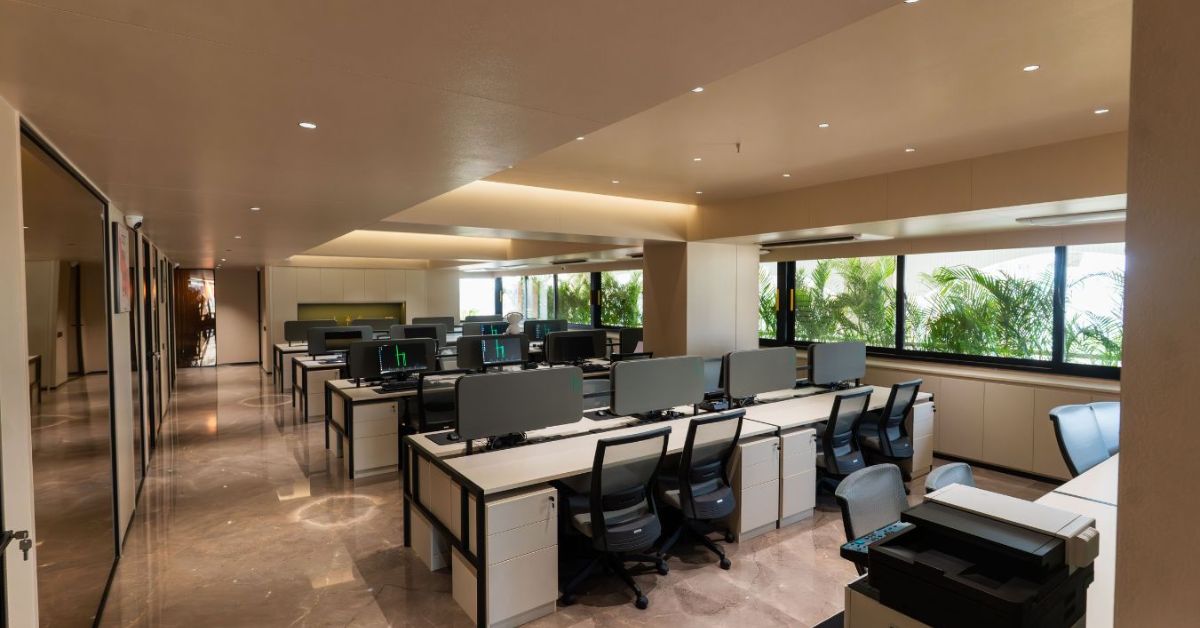
Feature photo: Hetvi Construction Ltd, Ahmedabad
Quick Answer: Open office layout distances (2025)
Quick Reference Table – Common Open Office Distances
Here’s a simple cheat sheet of the most commonly used open office distances. These are recommended planning ranges, not strict codes, but they’ll help you start on solid ground. Verify with local codes for corridors/egress and accessibility before execution.
| Space Type | Recommended Distance (Metric) | Imperial Equivalent | Notes |
|---|---|---|---|
| Between desk edges (face-to-face) | 210–240 cm | 78–96 in | Standard back-to-back setup; allows chair movement on both sides |
| Chair “dynamic” clearance behind the desk | 90–105 cm | 36–42 in | Standard back-to-back setup; allows chair movement on both sides |
| Between desk edges (face-to-face) | 210–240 cm | 78–96 in | Room for chair rollback and passage (BIFMA G1) |
| Passage between desk rows | 60–90 cm | 24–36 in | Minimum clearance between rows |
| End-of-row turning/passing space | 120–150 cm | 48–60 in | For two people to pass comfortably |
| Main circulation / “street” | 150–240 cm | 60–96 in | Main traffic routes in open areas |
| Corridor/egress (IBC/OSHA) | As per code (min 860 mm+) | 34 in+ | Confirm per local IBC 2024 & OSHA 1910.36 |
| Wheelchair passage (ADA) | 915 mm continuous | 36 in | Minimum width for single wheelchair |
| Wheelchair turning/passing | 1525 mm | 60 in | Space for two wheelchairs or a full turn |
| Typical workstation module (desk + chair) | 180–210 cm | 70–83 in | Average depth for planning |
| Space per employee | 12–19 m² | 125–205 sq ft | Based on post-2020 global averages (CBRE) |
Keep desks within common sizes: 120–160 × 60–80 cm; plan chair footprints around 65–80 × 60–80 cm.
These numbers help balance comfort, function, and efficiency. Designers often start with these “soft standards” before refining details based on actual furniture sizes and building constraints.
Workstation Modules & Desk-to-Desk Distances
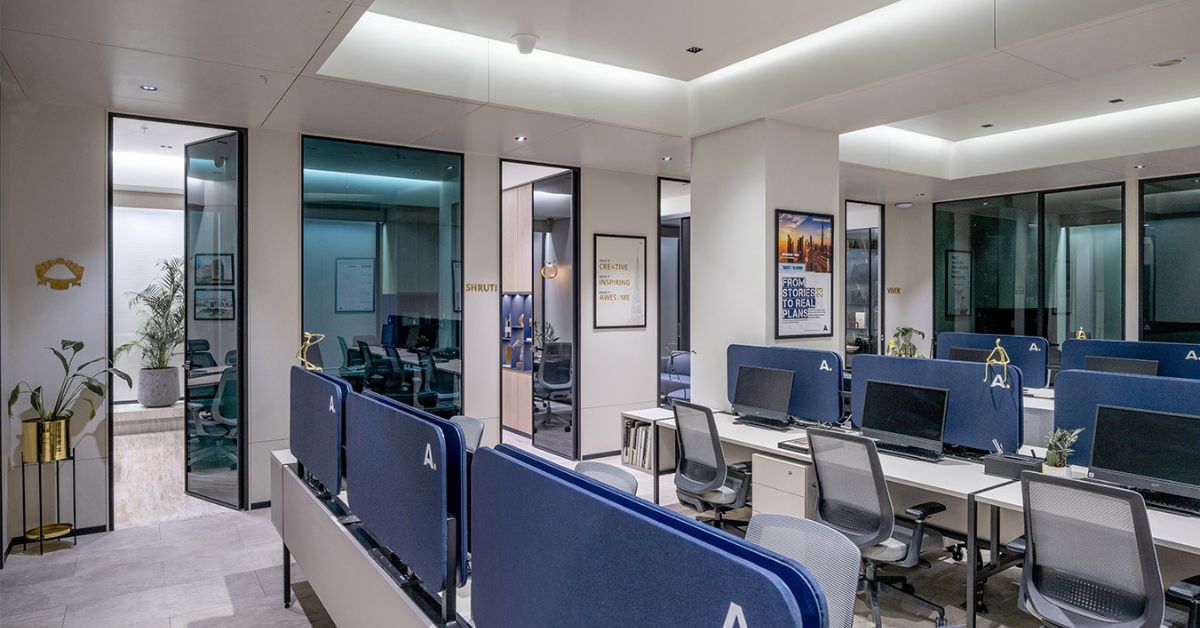
Feature photo: Arcedior Office, Ahmedabad
When planning an open office layout design, desks and chairs are your main building blocks. The right clearances around them ensure people can sit, move, and work comfortably without feeling cramped.
Chair Movement Zones
There are two zones around a desk:
- Static zone (where chair and user sit): minimal clear area to operate comfortably.
- Dynamic / roll-back zone (behind the chair, when user leans or exits): often 90–105 cm (≈36″–42″) recommended for smooth chair movement.
In many open office layout designs, the minimum passage between rows (for walking behind chairs) is 61–91 cm (24″–36″). But for comfort and future flexibility, many designers push it to ~90 cm or more.
Face-to-Face & Back-to-Back Clusters
When desks are arranged face-to-face or back-to-back, total clearance edge-to-edge often ranges 198–244 cm (78″–96″).
For example:
- Two back-to-back desks, each 80 cm deep → 160 cm total depth + ~40–84 cm for separation = ~200–244 cm.
- Face-to-face arrangement: desk depth + gap + desk depth.
Using common desk sizes (120–160 cm wide, 60–80 cm deep) helps you design modular clusters.
90 cm (≈35.5″) as a minimal circulation width for one person, and 150 cm (≈59″) for two-way movement. They also note back-to-back clusters need ~200 cm (78.7″)
Planning tip: Don’t forget to plan for movement beyond the workstation. Drawers, under-desk CPU holders, or ergonomic chairs with five-star bases all add bulk. Always mock up one workstation module before rolling it out across the floor plan. It’s the easiest way to visualize comfort and movement early in design.
Circulation, Aisles & Corridors
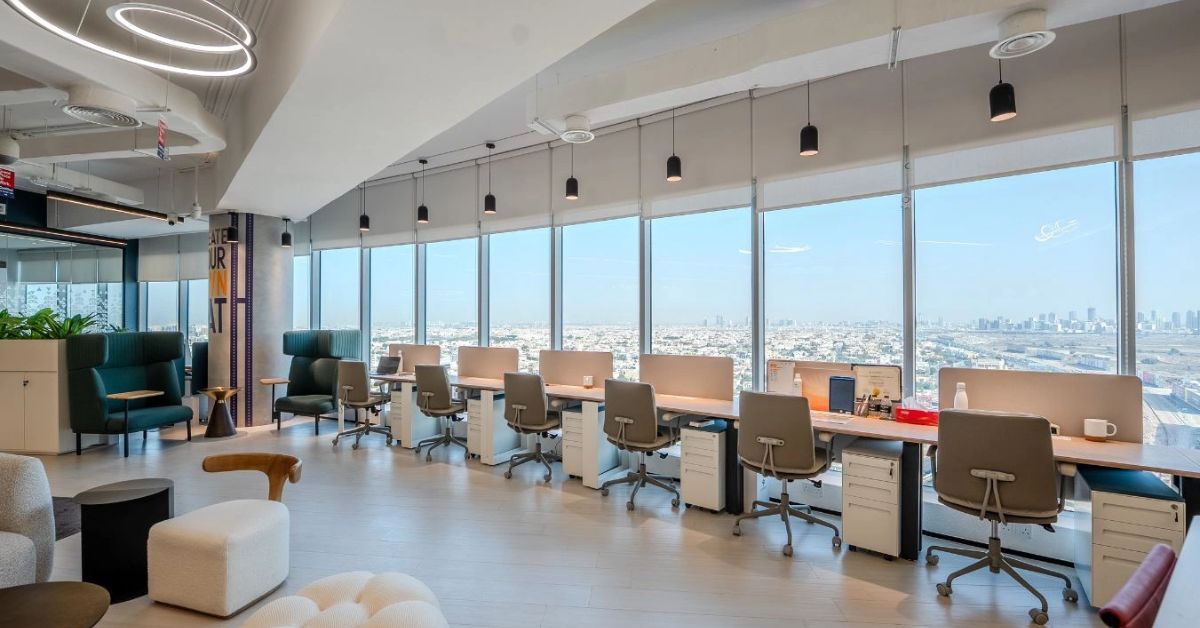
Feature photo: Tesla Properties, Dubai, Architect / Designer: Mr. Saif Zaidi
Circulation is the “blood flow” of an open office. It’s how people get from one zone to another, from workstations to meeting rooms, pantries, or exits. If it’s too tight, everything feels congested. If it’s too wide, you lose usable floor space.
Everyday Circulation vs. Emergency Egress
Egress paths are emergency routes that must meet building codes, such as those under the International Building Code (IBC 2024) and OSHA 29 CFR 1910.36.
So, while your office may have narrow rows between desks, your main corridor must comply with egress width requirements. Always coordinate with a code consultant or architect for local compliance.
Clarify code vs. planning targets
- Planning widths: Everyday aisles – 150–240 cm for main streets, 90–120 cm for side aisles.
- Code minimums: Follow IBC 2024 §1020.3 (corridor width by occupant load; confirm local adoption) and OSHA 29 CFR 1910.36 (≥ 711 mm / 28 in min for exit access).
Always coordinate with a code consultant or architect for compliance.
Recommended Aisle Widths for Open Office Planning:
- General office aisles: Keep main paths (“streets”) 150–240 cm (60–96 in) wide.
- Side aisles or rows: These can be narrower, around 90–120 cm (36–48 in), depending on the layout.
- Corridors and egress paths: IBC 2024 and OSHA both highlight that exit routes must remain unobstructed and wide enough for safe evacuation. The minimum width is generally around 86 cm (34 inches), but larger offices or higher occupancy areas may need 1.1 m (44 inches) or more.
- Wide aisles don’t just look better, they make circulation natural and help meet safety norms.
Accessibility (ADA) Basics at Workstations
Every modern office must consider accessibility, not just to meet regulations, but to make sure every employee can move freely and work comfortably.
Here are the ADA planning basics:
- Continuous wheelchair passage: minimum 36″ (915 mm) width.
- Two-way passing/turning: 60″ (1525 mm) recommended.
- Knee/toe clearance under desks: typically 27″ (685 mm) high, 30″ (760 mm) wide, and 19″ (485 mm) deep. access-board.
- Table/desk height: between 28″–34″ (710–865 mm) above floor.
*Also note: toe clearance space (lower portion) spans from 9″ (230 mm) above the floor downward and must be a minimum width, etc.
These dimensions are especially useful when designing custom furniture or built-in workstations. At Arcedior, we work closely with designers to ensure every custom-made piece meets both design intent and comfort standards.
India Accessibility Callout:
For Indian offices, refer to the Harmonised Guidelines & Space Standards for Universal Accessibility in Built Environment (2021; amended 2023) – Press Information Bureau, Govt. of India.
Open Office Space Concept per Employee (Density Planning)
How much space does each employee need? This is one of the most common questions in modern workplace design, and the answer depends on the kind of work your team does, the type of furniture you use, and how often people are in the office.
Typical space per employee in 2025 ranges from:
- 12–19 m² (130–205 sq ft) per person.
- Denser layouts (like coworking) lean toward the lower end.
- Private or hybrid offices may offer more generous space.
Post-pandemic, many offices target ~125 to 205 ft² (≈11.6 to 19 m²) per employee, depending on layout, shared spaces, meeting rooms, etc. This range gives flexibility for collaboration zones or privacy pods.
In India and other fast-growing markets, coworking and flexible offices have grown significantly. Many companies now design offices with shared desks, hoteling systems, and multipurpose zones. Even so, the same comfort rules apply. Overcrowding reduces morale, while a bit of open space creates calm and flexibility.
If you’re planning a new Indian office or refurbishing an existing one, start with 13–15 m² per person as a base, and adjust depending on how intensively each zone will be used.
Open Office Distances Checklist
Feature photo: Arcedior Office, Ahmedabad
Use this as your go-to checklist during space planning or site execution.
☐ Desk size: 140×70 cm (min 120×60; max 160×80)
☐ Chair dynamic zone (behind desk): 100 cm (range 90–105)
☐ Passage between rows: 90 cm (don’t go below 60)
☐ Back-to-back benches (edge to edge): 210–240 cm
☐ End-of-row passing space: 120–150 cm
☐ Main circulation “street”: 150–240 cm
☐ ADA continuous passage: 915 mm (36 in)
☐ ADA turning/passing: 1525 mm (60 in)
☐ Under-desk clearance: H 685 mm × W 760 mm × D 485 mm
☐ Corridor/egress: as per IBC/OSHA (verify locally)
☐ Space per employee: 12–19 m² (130–205 sq ft)
Download an open office distances checklist you can print or share with your design team. This checklist helps maintain balance between efficiency and comfort. Use it during layout planning reviews or furniture procurement to ensure every part of your space remains practical and inclusive.
*Instructions that these are planning targets; verify with local codes.
Acoustic & Privacy Considerations in Open Layouts
Noise is the most common complaint in open offices. While spacing plays a big role in comfort, acoustics and privacy are equally important for focus. The right layout uses both physical space and sound management to make work smoother and calmer.
Role of Acoustic Panels
Acoustic panels, wall absorbers, and ceiling baffles are your best friends in open layouts. They don’t just absorb sound, they shape how sound behaves. Panels behind desks, above ceilings, or between clusters can dramatically reduce noise bounce.
If you’re sourcing materials, check out Arcedior’s Acoustic Panels. They offer a wide range of design-friendly solutions that look great while improving sound quality. You can match colors to your office theme or use decorative panels that double as art.
Zoning Techniques
A good open office isn’t one big hall; it’s a series of zones that naturally control noise. Here are some practical ideas:
- Quiet zones: For focused work, place desks farther from meeting or pantry areas.
- Collaboration zones: Use flexible tables or benches where small teams can talk freely.
- Transition zones: Add green walls, storage units, or acoustic dividers between clusters to visually and acoustically separate areas.
- Focus booths: Enclosed pods or half-height panels give privacy without losing the open feel.
These zones can be planned using furniture rather than walls, making your office flexible for future reconfiguration.
Avoiding “Noise Spill” Areas
When placing noisy elements like printers, coffee machines, or break-out spaces, keep them away from main workstation clusters. Create physical separation through corridors, planters, or sound-absorbing partitions.
Good spacing also helps: keeping at least 2–3 meters (6–10 feet) between noisy and quiet zones reduces distraction.
In short, sound and spacing go hand in hand. A well-planned open office doesn’t echo; it hums gently.
Common Mistakes & Fixes
Feature photo: Hetvi Construction Ltd, Ahmedabad
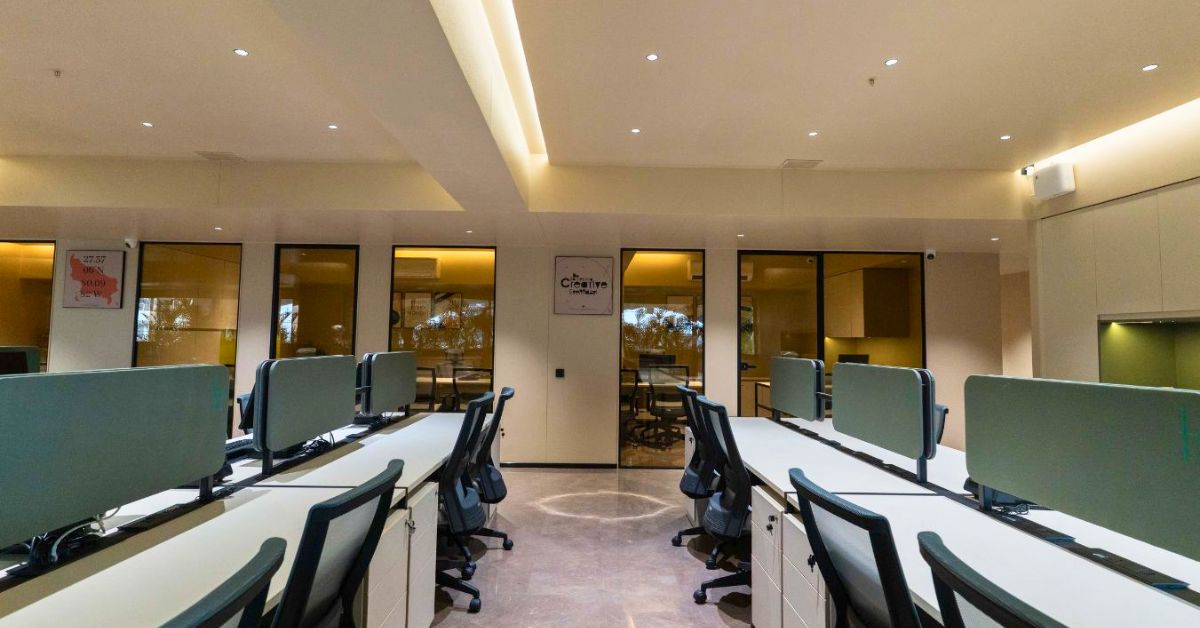
Even experienced designers make spacing errors when working with open offices. Here are the most frequent issues, and simple ways to fix them.
1. Overcrowding Rows
Mistake: Desks placed too close (<70 cm between chair backs) restrict movement and cause discomfort.
Fix: Maintain at least 90–100 cm dynamic clearance behind chairs.
2. Forgetting the Dynamic Zone
Mistake: Designers plan static layouts without considering how chairs roll back or swivel.
Fix: Add at least 36–42 inches behind each chair for full ergonomic movement.
3. Narrow End-of-Row Paths
Mistake: Tight corners make it hard for people or wheelchairs to turn.
Fix: Keep at least 120–150 cm of open space at row ends.
4. Blocking Egress or Visibility
Mistake: Large furniture or partitions block exit routes or visual sightlines.
Fix: Keep primary corridors clear, continuous, and code-compliant.
5. Ignoring Acoustic Balance
Mistake: Open areas without sound absorption quickly become noisy.
Fix: Integrate acoustic panels, fabric partitions, or ceiling baffles – like those from Arcedior’s acoustic panels collection.
Conclusion
Open offices work best when design meets comfort – when people can move freely, feels effortless, focus quietly, and collaborate naturally. With clear spacing standards and accessibility in mind, your layout will not only look organized but also support productivity and safety.
Achieving that balance isn’t about guessing measurements; it’s about thoughtful planning based on proven standards.
Key Takeaway: Design around people, not just furniture.
- Give enough clearance behind chairs (90–105 cm).
- Keep aisles open (90–120 cm) and main corridors wider (150–240 cm).
- Follow ADA for accessibility, BIFMA for ergonomics, and IBC/OSHA for safety.
- Always check local building codes before finalizing.
Whether you’re designing a startup hub or a corporate headquarters, the goal is the same: to create a workspace that feels open, inclusive, and ready for the future.
Once your layout distances are set, the next steps are choosing the right workstation systems, office chairs that match dynamic zones, and acoustic panels/privacy elements to optimize the space.
* Updated: October 17, 2025 (IST) as per 2024 IBC.
FAQs
1. How much space should be between desks in an open office?
Plan 90–105 cm behind each chair and 60–90 cm between rows; back-to-back clusters total 198–244 cm desk-edge to desk-edge. Verify accessibility and egress.
2. What is a standard office aisle width?
Keep main “streets” 150–240 cm wide. Egress corridors must meet IBC 2024 §1020.3 & OSHA 1910.36.
3. What are ADA clearances around desks?
915 mm (36 in) continuous passage; 1525 mm (60 in) for turning; 27 × 30 × 19 in under-desk clearance.
5. What’s the best way to plan a flexible open office layout?
Start with modular workstations and movable partitions. Keep main circulation lanes clear, plan zones for both focus and teamwork, and follow ADA/BIFMA guidelines for comfort and reach. Finally, revisit your plan every year as your team and work style evolve.